Commercial businesses need to track every step of a product’s journey, from the moment it ships until it reaches the customer, without errors. But with so many tasks and so little time, it’s hard for teams to manually follow every employee, every truck, and every shipment.
That’s why mid-sized and large companies are turning to cloud-based software. It gives them the flexibility to manage shipping and procurement, track shipment routes, and save their teams significant time.
Why Does Your Company Need an ERP System to Manage Its Supply Chain Processes?
Enterprise resource planning (ERP) systems improve logistics, warehousing, manufacturing, and product shipping, and they run processes across departments automatically and accurately.
ERP systems differ in the number of features, the level of process integration, and the speed of execution. But they all share the same benefits: they save time, significantly reduce errors, and increase customer satisfaction.
They also give you full visibility into every element of the supply chain, from raw material production planning through manufacturing, inventory, and fleet management to tracking the product until it reaches the customer.
Odoo ERP offers advanced features that simplify and automate these processes, letting you monitor a product’s movement for trading and shipping companies.
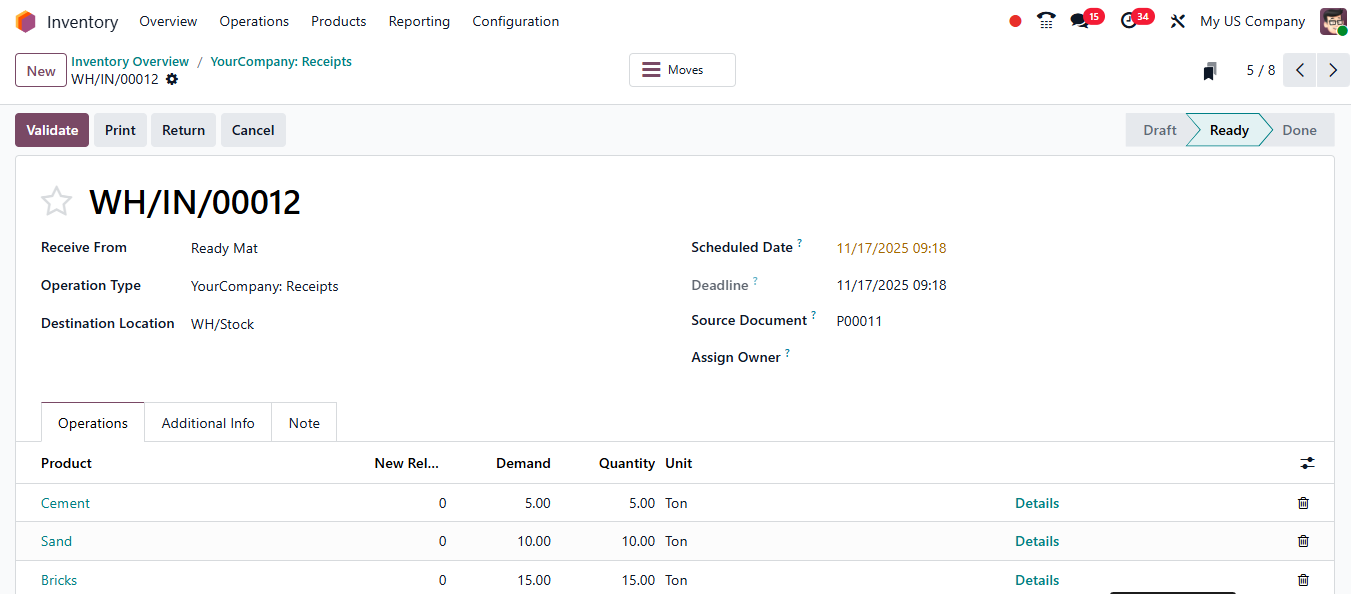
How Does Odoo Help You Manage and Control Your Supply Chain?
If you own a commercial business, you need a flexible system that covers every stage of the supply chain. These are the main modules Odoo offers:
- Warehouse management: Run inventory counts across all warehouses, track goods moving in and out from a single screen, manage receipts and delivery orders, and monitor warehouse staff performance to prevent manipulation.
- Product lifecycle: Record raw materials and track them through manufacturing, monitor waste, and manage the product even after the shipment is delivered.
- Manufacturing: Schedule and plan manufacturing orders, define production stages, issue production orders automatically, manage operational labor, and handle quality issues.
- Fleet management: Register and manage your company’s fleet, follow truck routes on the system screen, and link them to product deliveries.
- Returns management: Odoo supports returns management (reverse logistics) arising from sales or manufacturing errors and automatically links them to invoices and customer refunds.
Reports That Support Your Decisions
In the reports module, you can get insights and analytics across all departments. They help you build clear strategic plans for business growth, improve your customers’ experience, and put you on the right track to expand.
Frequently Asked Questions About ERP for Supply Chain Management.
Does an ERP system reduce warehouse errors?
Yes. It unifies inventory data, goods movement, and receipt and delivery documents in one place, which reduces manual errors and lets you monitor warehouse staff performance to prevent manipulation.
How does Odoo handle returns?
Odoo supports returns management (reverse logistics) arising from sales or manufacturing errors and automatically links them to invoices and customer refunds.
Can Odoo be used to manage manufacturing?
Yes. The manufacturing module lets you schedule and plan manufacturing orders, define production stages, issue production orders automatically, and handle quality issues.
Why Choose Centione to Implement Odoo?
At Centione, we deliver Odoo with the best performance for managing companies, and we help you implement it to fit your business and your supply chain needs, from warehousing and manufacturing to fleet and returns. That way, you can track every stage of your product’s journey accurately, save your team’s time, and make decisions with confidence.
Contact Centione team today and start your journey toward smarter supply chain management.